Journey Intelligence

Know exactly where
users get stuck.

Define multi-step journeys. Prody monitors them nightly, detects conversion drops, and shows you exactly who's stuck - before they churn.

Define a path. Prody watches it every night.

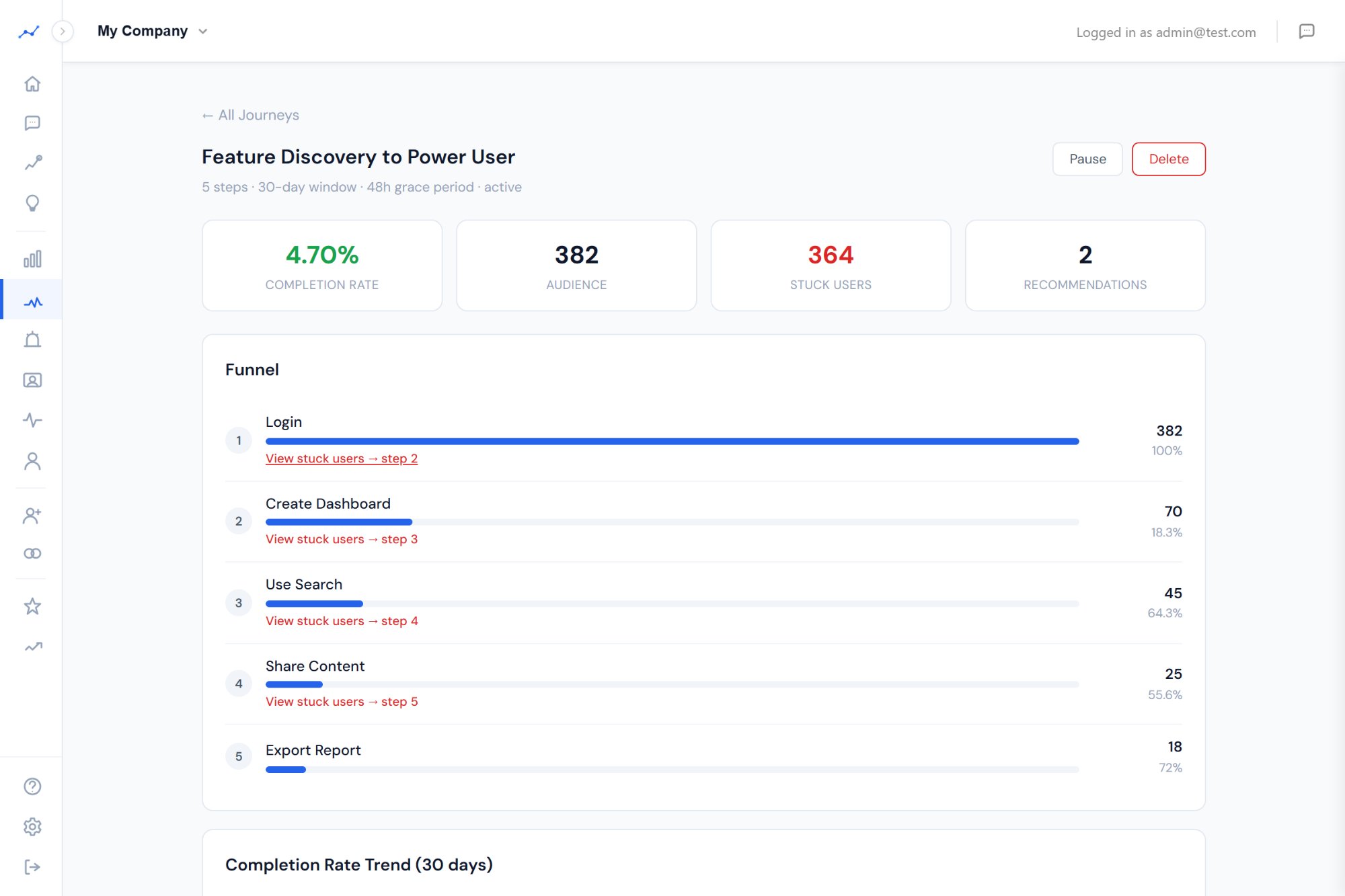
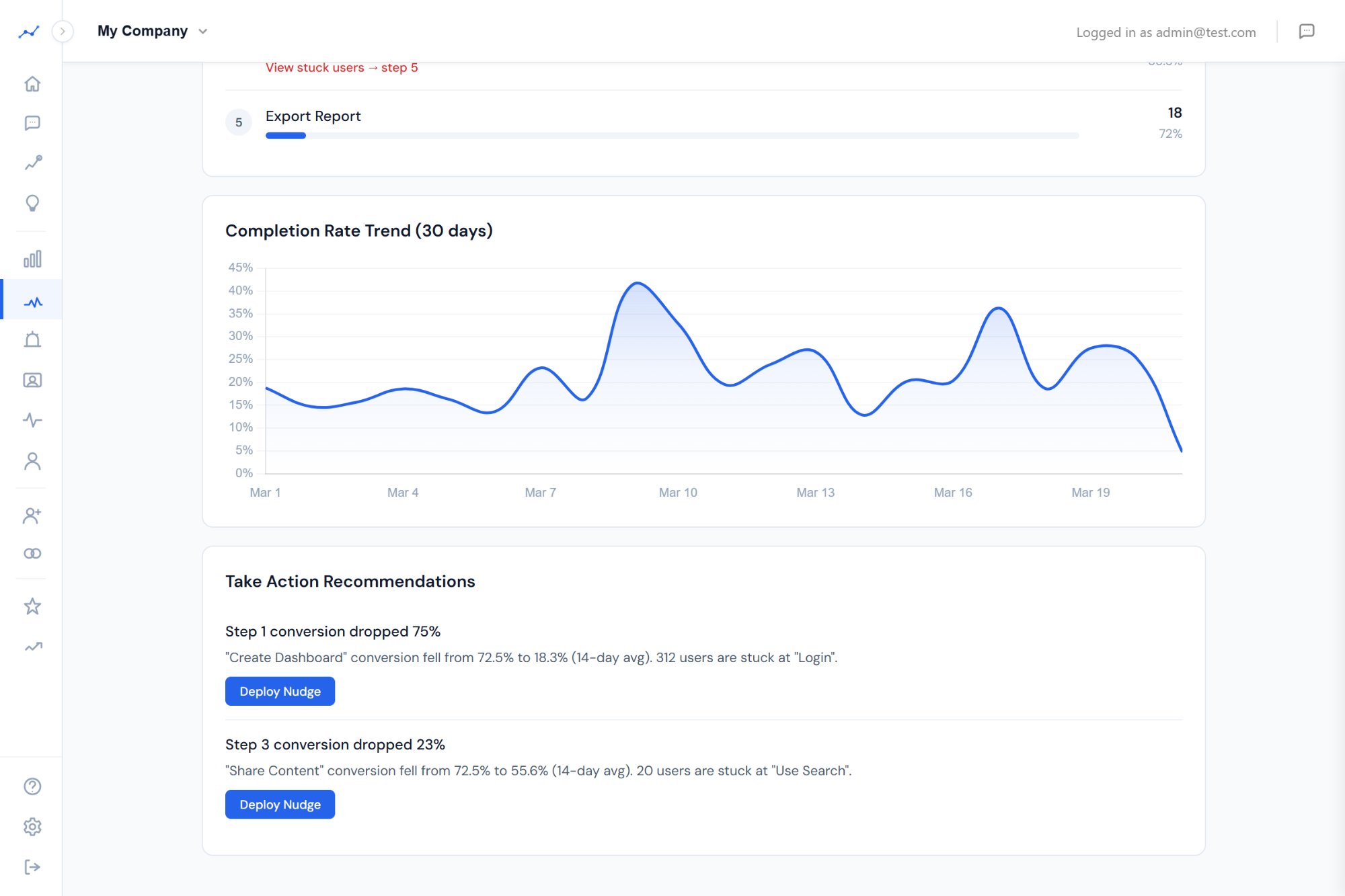
Create a journey with 2-8 sequential steps (e.g., First Login → View Dashboard → Create Project → Invite Teammate). Prody computes conversion rates nightly, writes daily snapshots, and compares against a 14-day rolling average. When a step drops more than 15%, you get a signal.

  • Sequential funnel computation (not just event counts)
  • 30-day trend chart per journey
  • Configurable completion window (1-90 days)
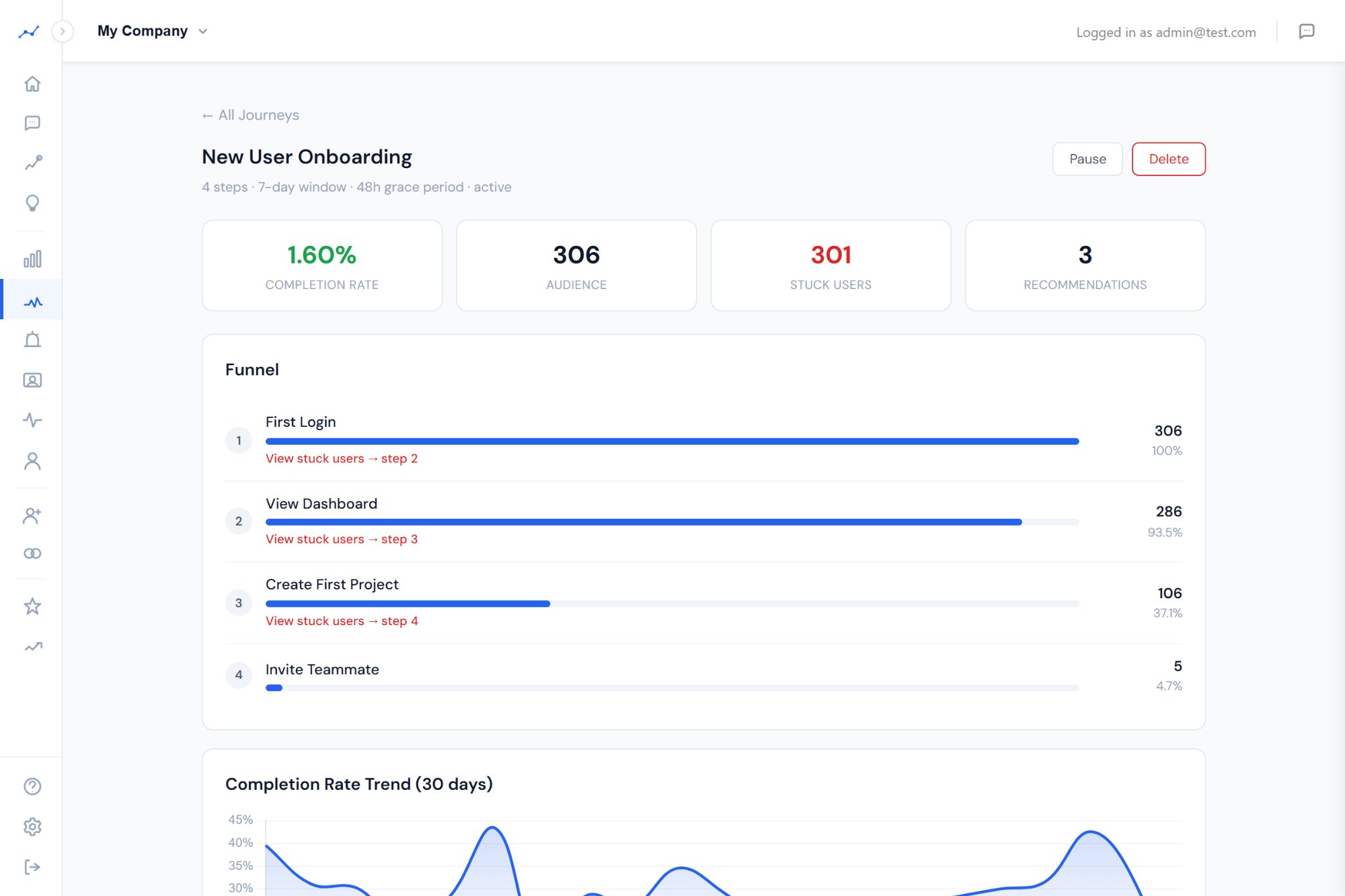
Prody Journey monitoring with funnel and trend chart

From detection to action in four steps.

Prody doesn’t just show you a chart and leave. It detects the problem, identifies who’s affected, generates a recommendation, and gives you a one-click action to fix it.

01

Define the Journey

Pick 2-8 events in order. Name it. Set a completion window. Done in 30 seconds.

02

Nightly Monitoring

Every night at 2 AM, Prody computes step conversion rates and compares them to the 14-day average.

03

Stuck User Detection

Users who completed step N but haven’t reached step N+1 are identified. Export them or create a segment.

04

Deploy a Nudge

One click deploys an in-app nudge to stuck users. AI writes the copy. Learn more →

See exactly who is stuck and where.

For each step transition, Prody lists every user who completed step N but hasn’t reached step N+1. See their email, account, and when they got stuck. Export as CSV or create a dynamic segment for targeting.

  • Per-step stuck user lists with account context
  • Export to CSV for outreach campaigns
  • Create segments from stuck user lists
Stuck users list with export and segment actions

Prody tells you what to do, not just what happened.

When conversion drops, Prody generates actionable recommendations cross-referenced with Discoveries. If users who do “share_link” are 2.8x more likely to convert, Prody tells you that in the recommendation - alongside the stuck user count and the severity of the drop.

  • Drop severity and historical comparison
  • Cross-referenced with behavioral discoveries
  • One-click nudge deployment from recommendations
Journey recommendations with Deploy Nudge button

Know when the problem is solved.

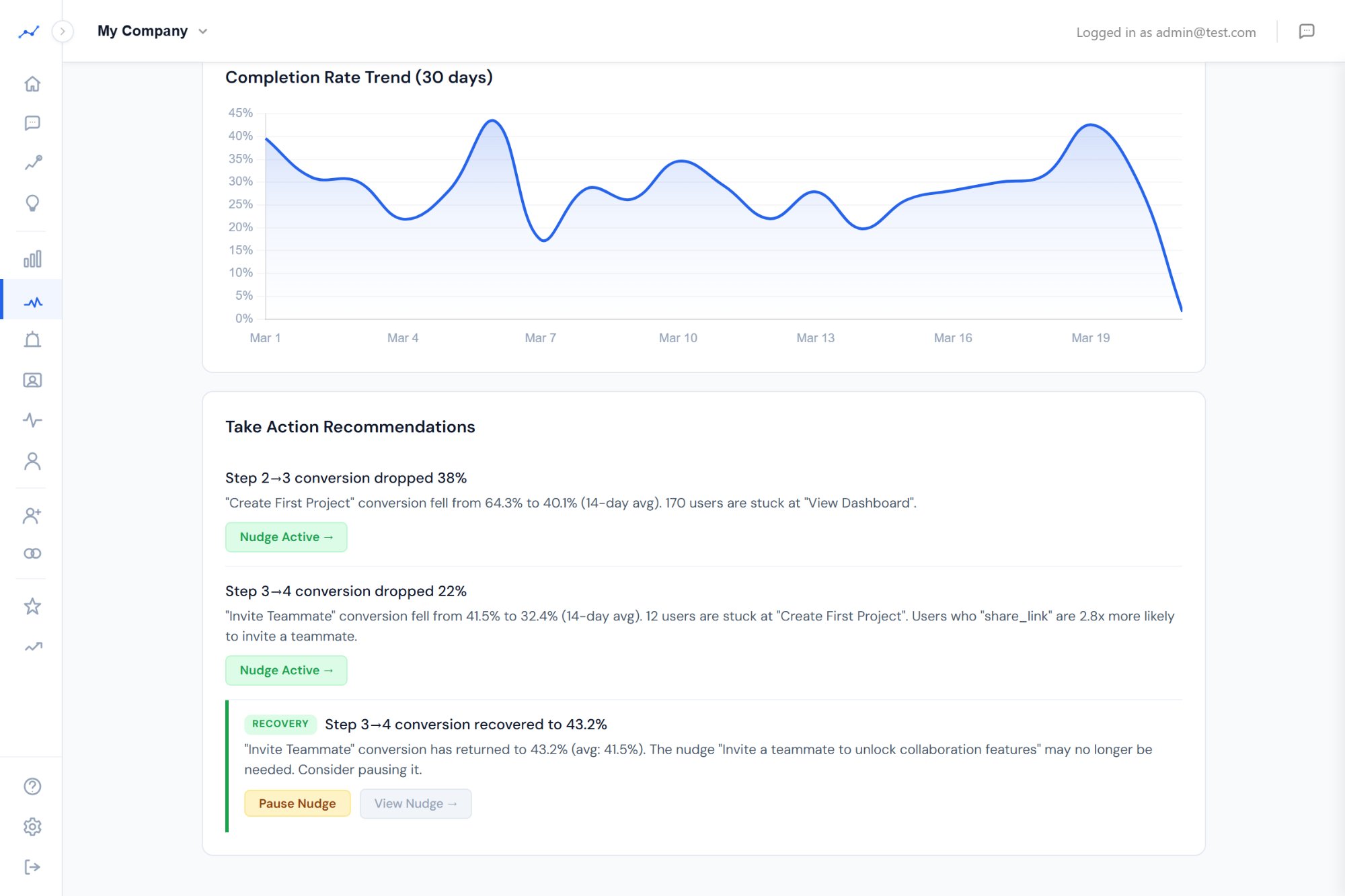
When a step’s conversion recovers to normal and an active nudge exists, Prody creates a recovery signal recommending you pause the nudge. One click pauses it, and the signal auto-resolves. No nudge fatigue. No forgotten interventions running forever.

  • Recovery signals on the Signals page
  • Pause Nudge button directly on the journey
  • Auto-resolves when you take action
Recovery recommendation with Pause Nudge button

Stop guessing where users drop off.

Define a journey in 30 seconds. Prody monitors it every night for free.